
View and manage personal memory
Working with AgentReview draft
On this page
Personal memory stores long-term working preferences, such as communication style, tool habits and response preferences, across projects. Project areas, client requirements and design decisions belong in project memory.
Find personal memory
Open Settings and choose Personal memory in the account section. Records follow the current user, not one workspace or project.
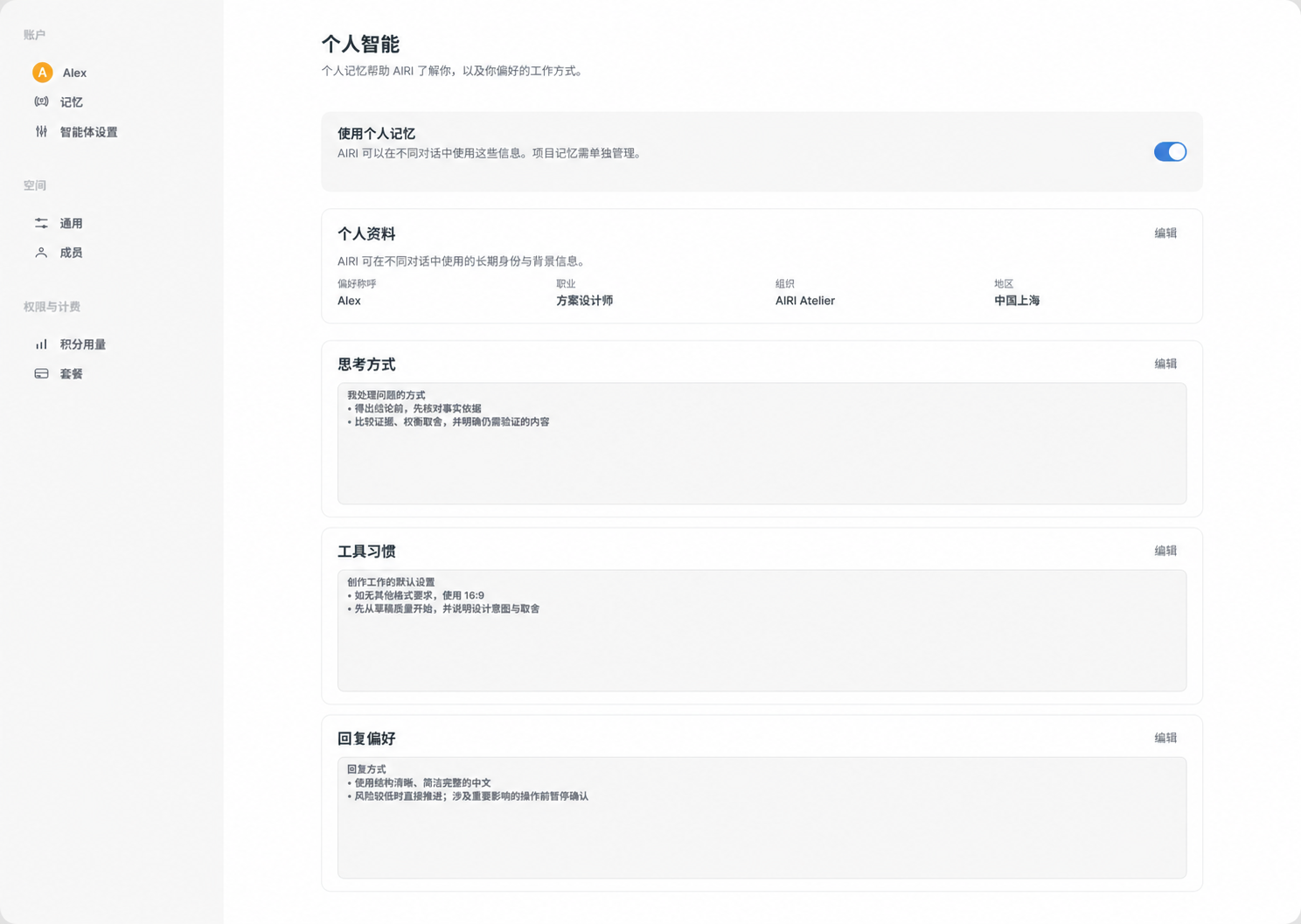 Chinese interface illustration, arranged for clarity: personal memory entry, usage switch and content groups.
Choose Edit for a group, then Save or Cancel. Review newer records if a conflict is reported. The top switch controls use of personal memory; turning it off does not delete existing records.
Specify lasting preferences
Tell Agent a stable preference: “When explaining designs, give constraints and tradeoffs before suggestions; remember this response preference.” Label one-off requests as temporary.
Broader is not always better. “Always use the same material” could affect unrelated projects. Working methods and explanation preferences are usually more suitable.
Review and correct
Ask which personal preferences are informing a response. Correct specific misunderstandings: “Concise explanations must still include important constraints; update that memory.”
To stop using a preference, explicitly request its removal from personal memory and confirm the update. Try a short task to check behavior. A conversational summary is not a complete account-data export.
Personal versus project memory
Personal memory follows you; project memory is shared project context. A requirement to use light materials on one project belongs to that project, not all your future work.
Removing memory does not delete historical conversations or files containing it. Clean those up separately if required. Do not save passwords or verification codes as preferences.