
Manage project permissions and share links
Sharing and collaborationReview draft
On this page
Project permissions control actions in one project; workspace roles control team identity. Granting project access does not make someone a workspace admin.
Change permissions
Open Share and collaborate / Members and permissions in the project and inspect workspace-wide access. Choose Custom for individual settings, search members and select permissions per row, or select several and apply a batch change. Verify the final people and scope.
A uniform setting for everyone can overwrite individual permissions; heed the prompt. Use Custom for one person. Workspace owners and project creators have fixed management identities and cannot be removed like ordinary members.
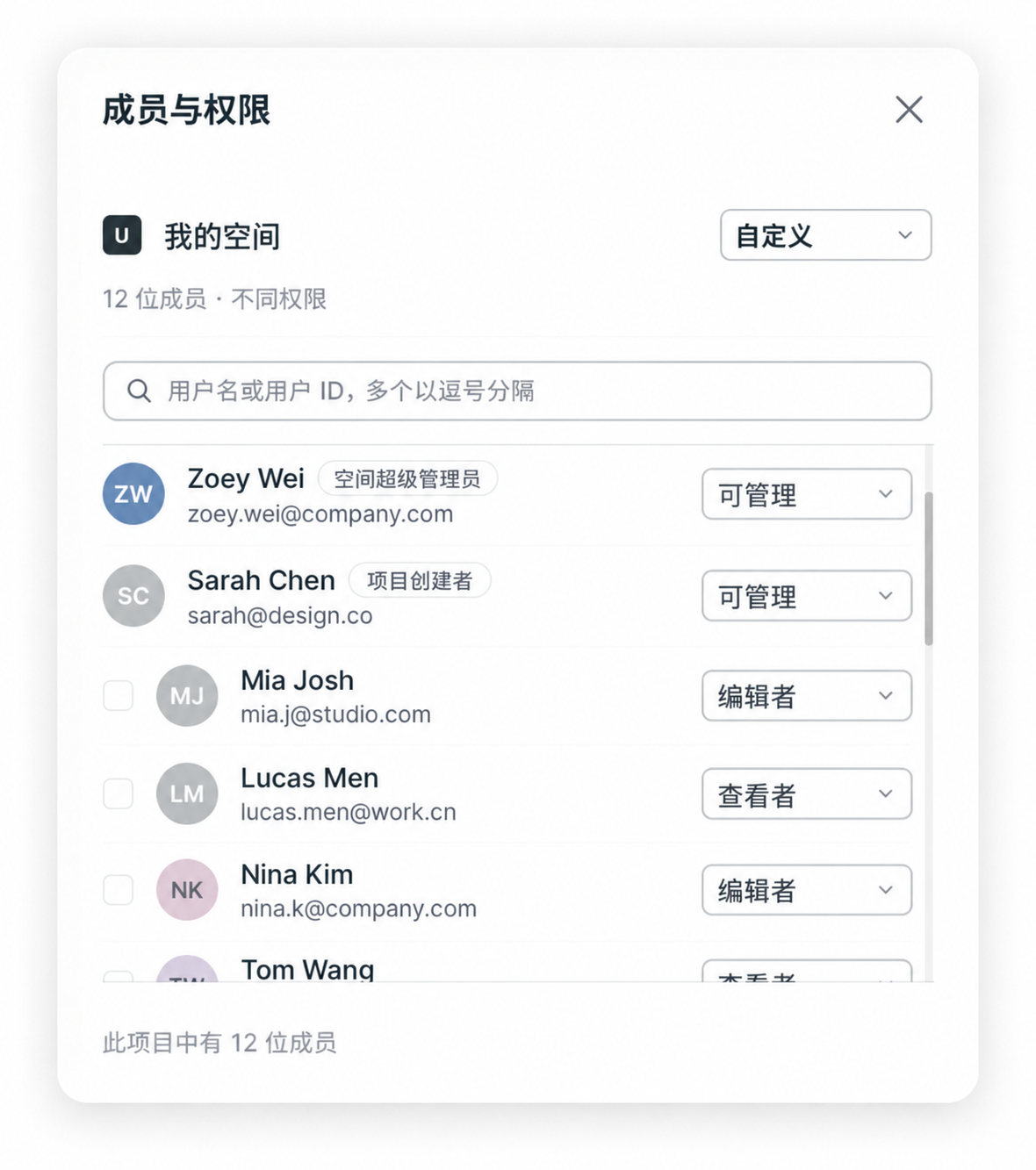 Chinese interface: under Custom, assign Manage, Editor or Viewer to each member. Workspace owner and project creator labels beside names indicate identity. The source screenshot is unchanged; click to view the original.
| Project permission | Capability |
|---|---|
| Viewer | View; no editing, export or download |
| Editor | Edit, export and download |
| Manage | Edit and manage access; some actions still depend on workspace identity |
| No access | No access through this grant |
Project Viewer/Editor labels are separate from workspace viewer/member roles. Agent and uploads also require a non-viewer workspace role and sufficient resources. Collaborators need explicit project access; default workspace-member access does not automatically cover every role.
Revoke access and handle old links
Set a person's custom permission to No access, then check workspace-wide access and other grants. Review batch confirmations to avoid affecting the whole team.
An invitation link is distinct from permissions already granted. Link expiry does not automatically remove existing members, and changing member permissions does not necessarily revoke every old invitation. Generate a valid link based on current access when someone needs to rejoin.
If controls are unavailable, ask the project creator or workspace owner to manage access.